
About Us
Our Services
IT Support Services
Engineering Services
Testimonials
Blog
Contact Us
Dmarc Check
HOW TO OPEN A SHARED MAILBOX ON A MAC USING OUTLOOK
21st May 2025
From within Outlook for Mac on the
Tools
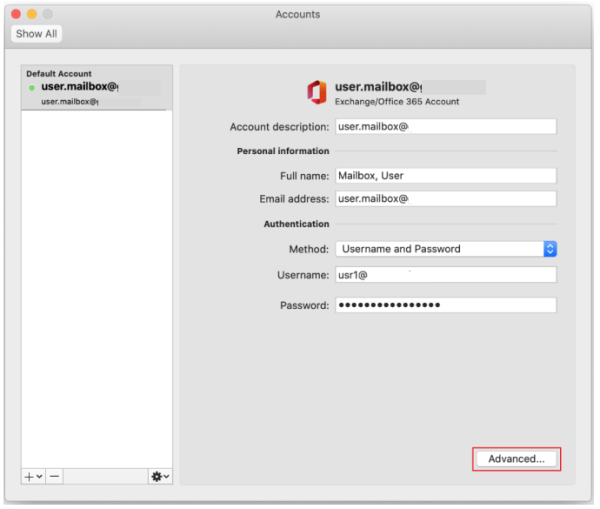
menu, click
Accounts
On the left under accounts click the account that you want to add the shared mailbox to (ie your own account/email address)
Click
Advanced
bottom right, and then click
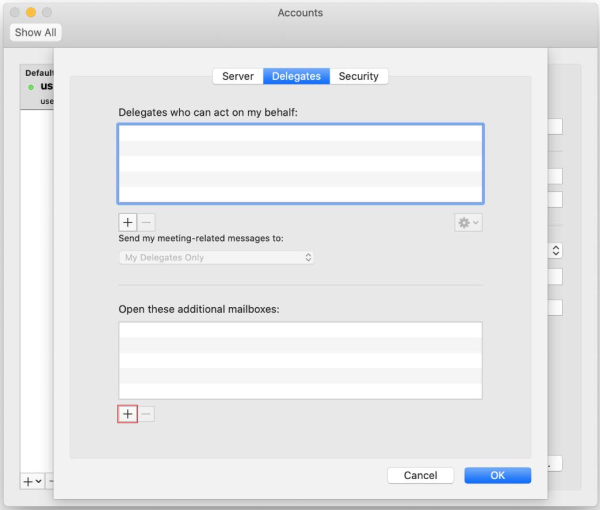
Delegates
tab at the top middle.
Under
Open these additional mailboxes
(the bottom window) click
Add
.
Type the name of the person that you want to add as a delegate.
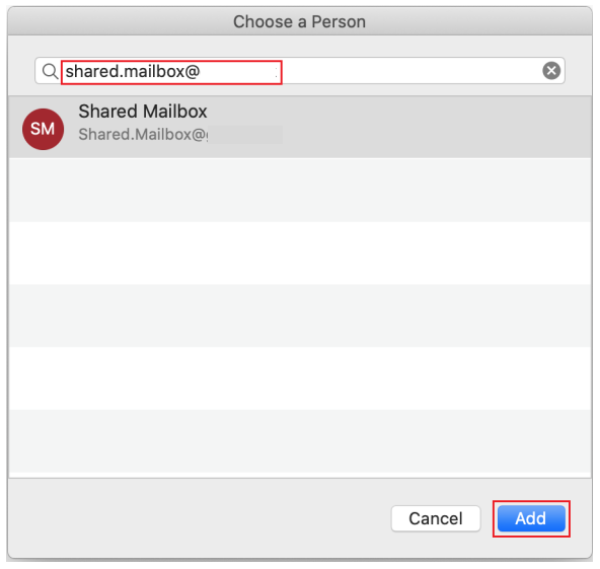
Click the delegate’s name in the search results list, and then click
Add
.
Click OK, close the Accounts window and the shared mailbox should appear on your folder list. Some times you have to close and re-open Outlook.